What is a CD Duplicator and Printer?
A CD duplicator and printer is a specialized machine designed to copy (duplicate) multiple CDs at once and print professional labels directly onto the discs. It combines two essential functions in one device: replication and disc printing, making it ideal for businesses, artists, software developers, and organizations that need to produce discs efficiently.
I’d like to explain the concepts of copy/replication and disc printing here for your better understanding:
CD Duplication:
The duplicator can copy the data from a master disc to multiple blank discs simultaneously.
Some models are standalone, requiring no computer, while others are computer-controlled for more advanced features.
Disc Printing:
The printer applies custom labels directly onto the surface of the discs, either using inkjet printing (for high-quality images), thermal transfer printing (for durability and smudge resistance), or other approaches that are much less prevalent.
This eliminates the need for stick-on labels and gives discs a professional, branded appearance.
Is It Necessary to Buy a CD Duplicator Printer?
It depends; if you require mass production of CDs and expect them to be burned and printed within a certain amount of time, buying a CD burner and printer is a must, which can efficiently create multiple copies of CDs/DVDs and print labels directly on the discs.
For people who are geeks of CDs, buying a home CD duplicator and printer is prevalent, even though it runs much less efficiently for CD burning and printing; however, it allows enthusiasts to create personalized copies and labels for their collections at their convenience.
As CD duplicators and printers are widely used across numerous industries and sectors, such as the music & audio industry, software & IT industry, marketing & advertising, education & training, healthcare & medical industry, film & video production, government & archival services, event & wedding industry, and more, it is worth considering buying one if your business falls into any of the categories above. It’s advised to dive into any of the specific industries above to secure the necessity of buying or not buying.
The Benefits of Using a CD Duplicator and Printer
Using a CD duplicator and printer undoubtedly offers edges for individuals, while we will only dive into the several advantages for organizations here that need to produce professional discs quickly and efficiently.
1. Efficient High-Volume Disc Production
A CD duplicator printer allows users to copy multiple discs simultaneously while also printing labels on them. This significantly increases production speed compared to manually burning and labeling discs one by one.
Businesses can produce dozens or even hundreds of discs in a single batch, making the process ideal for large distribution needs, yet with quality guaranteed.
2. Professional Disc Presentation
Integrated disc printing ensures every CD has a clean, high-quality label. Instead of using adhesive stickers or handwritten labels, the printer produces professional customizable designs directly on the disc surface.
This improves brand presentation and makes the discs look more credible and polished.
3. Time-Saving Automation
Many CD burner and printer systems feature automated disc loading and printing. Robotic arms and programmed projects handle the process of loading blank discs, duplicating data, and printing the label.
This automation reduces manual labor and allows users to run large duplication jobs with minimal supervision.
4. Consistent Quality and Accuracy
Automated duplication systems ensure every disc is copied from the same master source with consistent accuracy. This reduces the risk of errors and ensures that every copy contains the same files, media, or software.
Consistent disc printing also guarantees uniform branding and labeling across all discs.
5. Cost-Effective Media Production
For organizations that frequently distribute CDs—such as training providers, music producers, and software companies—using a CD duplicator and printer can significantly reduce production costs compared to outsourcing disc duplication services.
Over time, the equipment can pay for itself through reduced per-disc production costs and generate profit for businesses that monetize the CD duplicator and printer.
6. Customization and Branding Opportunities
A built-in disc printer allows users to create customized designs, including the following:
- Company logos
- Product names
- Full-color artwork
- Contact information
- Barcodes or serial numbers
This makes the discs suitable for branding, marketing, and product distribution.
7. Suitable for Various Industries
A CD duplicator and printer is useful in many sectors, including:
- Media and music production
- Corporate training and education
- Software distribution
- Marketing and promotional media
- Religious organizations and events
These industries often require reliable and efficient ways to distribute digital content.
Generally, a CD duplicator and printer provides a fast, reliable, and cost-effective way to produce professional discs in large quantities. By combining duplication and printing into a single workflow, businesses can streamline production, maintain consistent quality, and create branded discs ready for distribution.
What Key Features to Look For in a CD Burner and Printer to Buy?
Number of drives (how many discs it can duplicate at once), which determines how many discs can be duplicated simultaneously. The typical burners for a CD duplicator are configured as follows:
- 1–2 drives for small production
- 3–6 drives for medium-scale duplication
- 8+ drives for high-volume production
- More drives allow the system to duplicate many discs at once, significantly increasing throughput.
Print technology and quality:
As its name suggests, a CD duplicator printer combines burning and printing and typically falls into the two printing technologies below:
Inkjet disc printing has the following advantages in printing:
- Full-color graphics
- Photo-quality labels
- And making marketing or branded discs
Thermal disc printing is best for printing durable, smudge-resistant text, barcodes, and logos, which often tend to be in a single color.
Speed of duplication and printing: It directly affects how many discs you can produce in a given time. Buying a high-speed CD copy and printer is a must if you need large batches of CD productions, and it brings the following benefits:
- Faster turnaround for large disc orders
- Increased productivity for media distribution
- Suitable for commercial duplication jobs
Supported disc types: Make sure the CD copy and printing machine support the media formats in need. The common ones are:
- CD-R / CD-RW
- DVD-R / DVD+R
- Dual-layer DVD
- Blu-ray (on advanced systems)
Some modern duplicators can copy CD, DVD, and Blu-ray discs in one machine.
Cost and ROI Considerations for CD Duplicator and Printers
When investing in a CD duplicator and printer, excluding individual use, businesses should evaluate both the initial cost and the long-term return on investment (ROI). Understanding these financial factors helps determine whether buying the equipment is more economical than outsourcing disc production.
Initial investment vs. outsourcing duplication/printing
As most individuals use CD burners and printers seldomly or for only a small quantity of CDs, they have the option of either buying a cheap CD copy and printer or visiting a CD copy and printer shop for service. Small businesses have the same choices for preference.
The estimated price range of basic CD duplicators to automated desktop disc burners and printers:
- Basic duplicator towers: around $300–$1,000
- Automated desktop disc publishers: around $2,000–$4,000
- For the large robotic CD duplicator printers, their prices usually come within the range of
- $5,000–$25,000+
Long-term cost savings for high-volume production
If your business requires high-volume production of CD duplicating and printing, it brings great value and savings to order a unit or a batch of CD duplicator printers rather than outsourcing, for which you’ll need to pay the following:
- Disc burning
- Label printing
- Packaging
- Shipping
By producing discs in-house, organizations can significantly lower the per-disc production cost, especially for large batches or frequent production. In addition, large CD copying and printing productions completed by organizations themselves allow higher revenue and profit.
Conclusion
For individuals, it’s advised to balance out whether to buy a CD duplicator and printer or outsource a service that will fulfill your needs.
Below are the key factors to consider for the long run:
- Frequency & quantity of CDs you need over a certain period of time
- The price of a CD burner printer that will last for a certain number of years to meet your needs.
- Compare investing in a CD duplicator and printer or outsourcing a service or vice versa as long as it suits you better.
For most businesses, particularly large ones, investing in a batch of CD duplicator printers will lower the cost massively, thus generating more revenue and profit for your business.
Masung has this MS-550A CD Duplicator and Printer with Built-in CD Burner for Unattended High-Volume Disc Burning & Printing to offer for your choice:
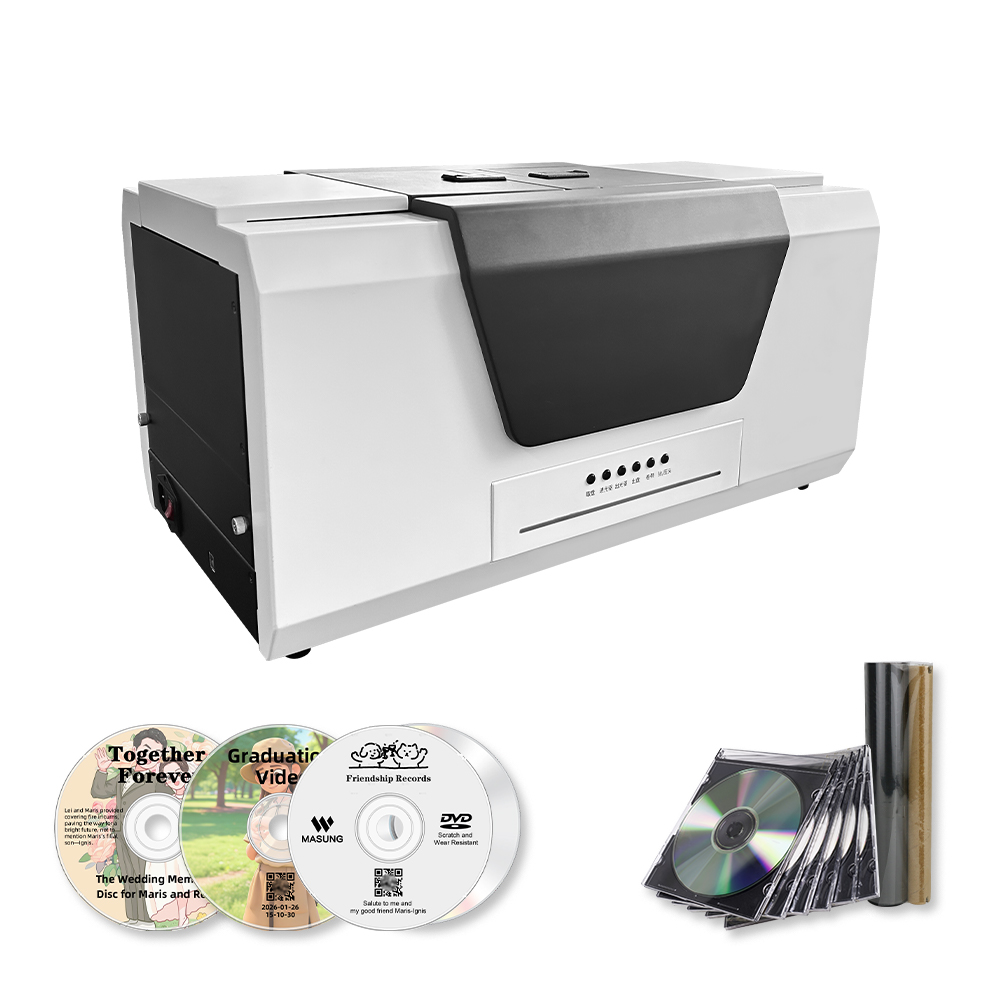
The CD-burning printer features the following:
- 1. All-in-One Automated Production
- 2. Superior, Clog-Free Disc Printing
- 3. High-Speed Multi-Format Recording
- 4. Independent Control & Software
- 5. Professional Integration & Output
and more for you to find out.