Employee ID cards are an important part of identification, access control, and workplace management for many organizations. From small offices to large factories, hospitals, universities, and corporate campuses, businesses need a practical way to produce professional identification cards with employee information.
A double-sided ID card printer can be particularly useful when an employee ID card needs to contain information on both the front and back. Instead of limiting the card to basic identification details, organizations can use the reverse side for barcodes, QR codes, employee numbers, contact information, access instructions, or other operational data.
For businesses producing employee cards regularly, choosing the right employee ID card printer can improve the efficiency and consistency of the card issuance process.
What Is a Double-Sided ID Card Printer?
A double-sided ID card printer, also known as a duplex card printer, is designed to print information on both sides of a plastic identification card.
A typical employee ID card may use the front for the employee’s photograph, name, job title, and company branding. universities, the back can then be used for additional information such as an employee number, barcode, QR code, department, access information, or company policies.
This makes a double-sided ID card printer suitable for organizations that need more information on a standard-size card without increasing the physical card size.
For B2B users, the ability to print both sides is particularly useful when hundreds or thousands of cards need to be produced or updated as part of an employee identification program.
Why Use an Employee ID Card Printer?
A dedicated employee ID card printer provides several advantages compared with printing identification information on paper or using a standard office printer.
Professional employee identification
Employee ID cards often represent the organization as well as the individual employee. A dedicated card printer can produce consistent photographs, text, logos, and other graphical elements on plastic cards.
This is useful for companies that want employees, contractors, and visitors to have a consistent identification format.
More information on one card
The biggest advantage of double-sided printing is additional usable space.
For example:
Front of employee ID card:
- Company logo
- Employee photograph
- Employee name
- Job title
- Employee ID number
Back of employee ID card:
- QR code or barcode
- Department
- Access information
- Company contact details
- Emergency instructions
- Card validity information
This layout allows businesses to keep the primary identification information easy to see while placing supporting information on the reverse side.
More efficient card production
A duplex card printer can automatically print both sides of a card, reducing manual handling. This can be valuable for HR departments, security teams, card issuance centers, and other departments responsible for producing employee credentials.
For organizations with frequent employee onboarding, automated double-sided printing can also make the card issuance process more consistent.
Where Is an ID Card Printer for Employee Cards Needed?
A professional ID card printer for employee cards can be used across many industries and working environments.
Corporate offices
Companies can issue employee badges containing photographs, job titles, and identification numbers. The reverse side can contain a QR code, access information, or company contact details.
Manufacturing and industrial facilities
Factories may have stricter requirements for employee identification and access control. Employee cards can help identify workers, contractors, and authorized personnel in different areas of a facility.
Hospitals and healthcare organizations
Hospitals can use employee identification cards for doctors, nurses, administrative staff, technicians, and other personnel. Both sides of the card can be used to accommodate identification and additional operational information.
Universities and educational institutions
Large campuses often have many employees, including teaching staff, administrators, researchers, and support personnel. A double-sided employee card can provide identification on the front and additional campus-related information on the back.
Hotels and hospitality businesses
Hotels can issue staff cards for employees working in reception, housekeeping, food service, maintenance, and management. Depending on the organization’s system, the cards may also be used with access-control or time-management systems.
Logistics and warehouses
Warehouses and distribution centers can use employee cards to identify workers and support access management. Barcodes or QR codes can also be incorporated into the card design where required by the organization’s software system.
What Should You Look for in a Double-Sided ID Card Printer?
Businesses should consider several technical factors when selecting an ID card printer for employees.
1. Duplex printing capability
The first consideration is whether the printer can automatically print both sides of the card. Automatic duplex printing can reduce manual card handling and simplify production.
2. Print resolution
A suitable print resolution is important for employee photographs, small text, logos, and machine-readable codes. Higher-resolution printing can help produce clearer details, particularly when the card contains small fonts or detailed graphics.
3. Printing speed
For a small company, occasional card production may not require extremely high throughput. Larger organizations, however, may need to issue hundreds or thousands of cards. In this situation, printing speed becomes a more important purchasing consideration.
4. Card material compatibility
Many employee identification cards use PVC, but organizations may also consider materials such as ABS, PET, or PET-G depending on the required durability and application.
The selected employee ID card printer should be compatible with the card material and thickness required for the project.
5. Connectivity and software
USB and Ethernet connectivity can make it easier to connect the printer to computers or an existing card issuance system.
For larger B2B projects, software and SDK support can also be important if the card printer needs to be integrated with an employee database, HR platform, access-control system, or card management software.
6. Optional encoding
Some employee cards are used not only for visual identification but also for access control or other automated processes. In these applications, organizations may require magnetic stripe, contact, or contactless card encoding.
Therefore, businesses should determine their encoding requirements before selecting a card printer.
Double-Sided Employee ID Card Printing Workflow
A typical employee card production process can be organized into several steps:
- Collect employee information such as name, photograph, department, and employee number.
- Create the card template using the card issuance software.
- Import or enter employee data into the template.
- Print the front side with the employee’s main identification information.
- Print the reverse side with additional information, QR codes, barcodes, or access details.
- Encode the card if the selected card and printer support this function.
- Check the finished card for print quality and data accuracy.
- Issue the card to the employee.
For large organizations, connecting the printer with existing employee databases can help reduce repetitive data entry and improve consistency.
Choosing the Right Employee ID Card Printer for Your Business
There is no single card printer that fits every organization. A small office issuing a few cards each month may have very different requirements from a manufacturing group issuing thousands of employee credentials.
Before purchasing an employee ID card printer, businesses should consider their expected monthly card volume, required card material, printing resolution, duplex capability, connectivity, encoding requirements, and software integration needs.
A double-sided model becomes particularly useful when the employee card needs to combine visual identification with additional operational or machine-readable information.
Conclusion
A double-sided ID card printer can provide an efficient way for businesses to produce professional employee identification cards while making full use of both sides of a standard plastic card.
For companies, factories, hospitals, universities, hotels, and logistics organizations, a suitable ID card printer for employee cards can support employee identification, access management, and everyday workplace operations. When selecting a system, businesses should look beyond basic print quality and consider duplex capability, speed, card compatibility, connectivity, software integration, and optional encoding.
For organizations planning a new employee card program or upgrading an existing card issuance system, these factors provide a practical starting point for comparing professional employee ID card printers.
If you are looking for a dual-sided card printer for employee IDs, Masung Group has the MS-CH22K to offer for your consideration.
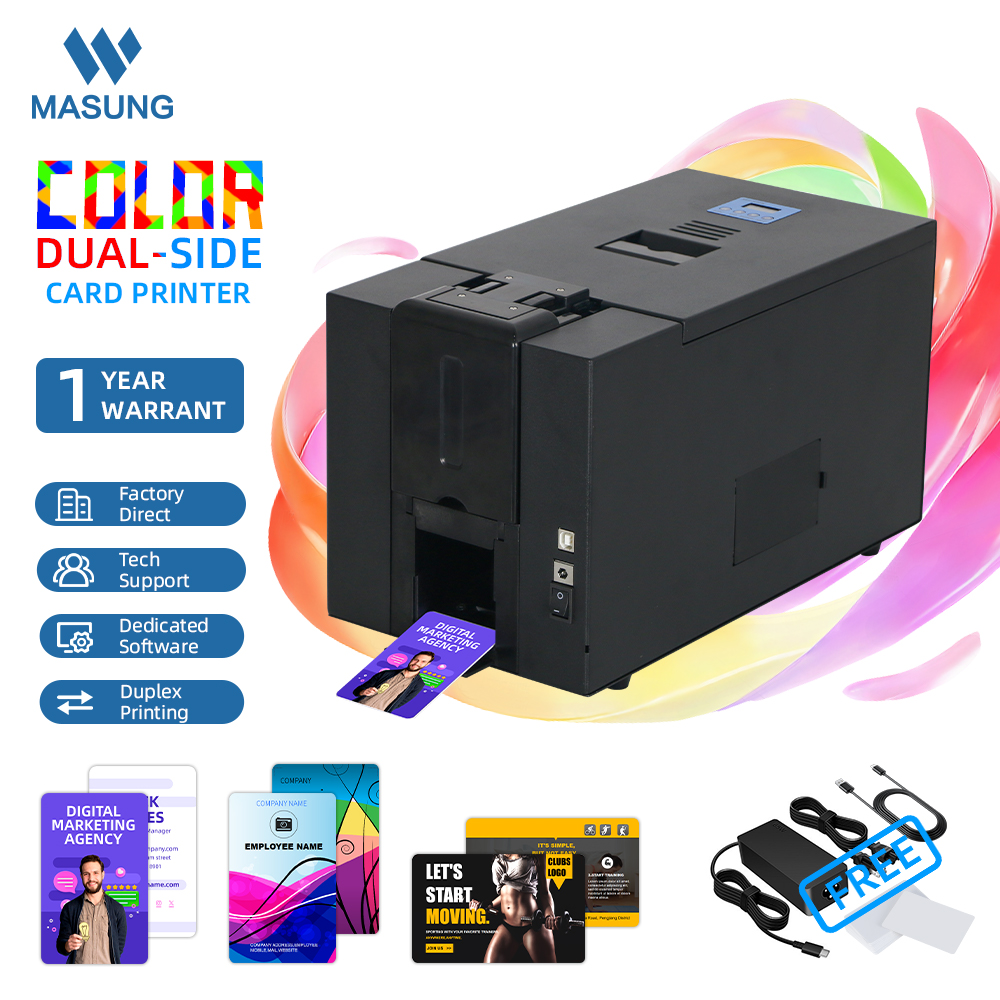
Primary features of the full-color ID card printer:
- Double-sided printing for producing complete employee ID cards, name tags, and event badges on both sides.
- 300 dpi printing resolution delivers clear text, logos, photographs, and QR/barcodes.
- Uses thermal sublimation printing for professional, full-color card printing.
- Designed for employee ID cards, event badges, conference name tags, and visitor credentials.
- Suitable for organizations that need fast, consistent, and professional on-demand card printing.
- A practical double-sided employee ID card printer for businesses, events, conferences, and institutional applications.
Send an inquiry for the Masung MS-CH22K Double-Sided ID Card Printer if it interests you.