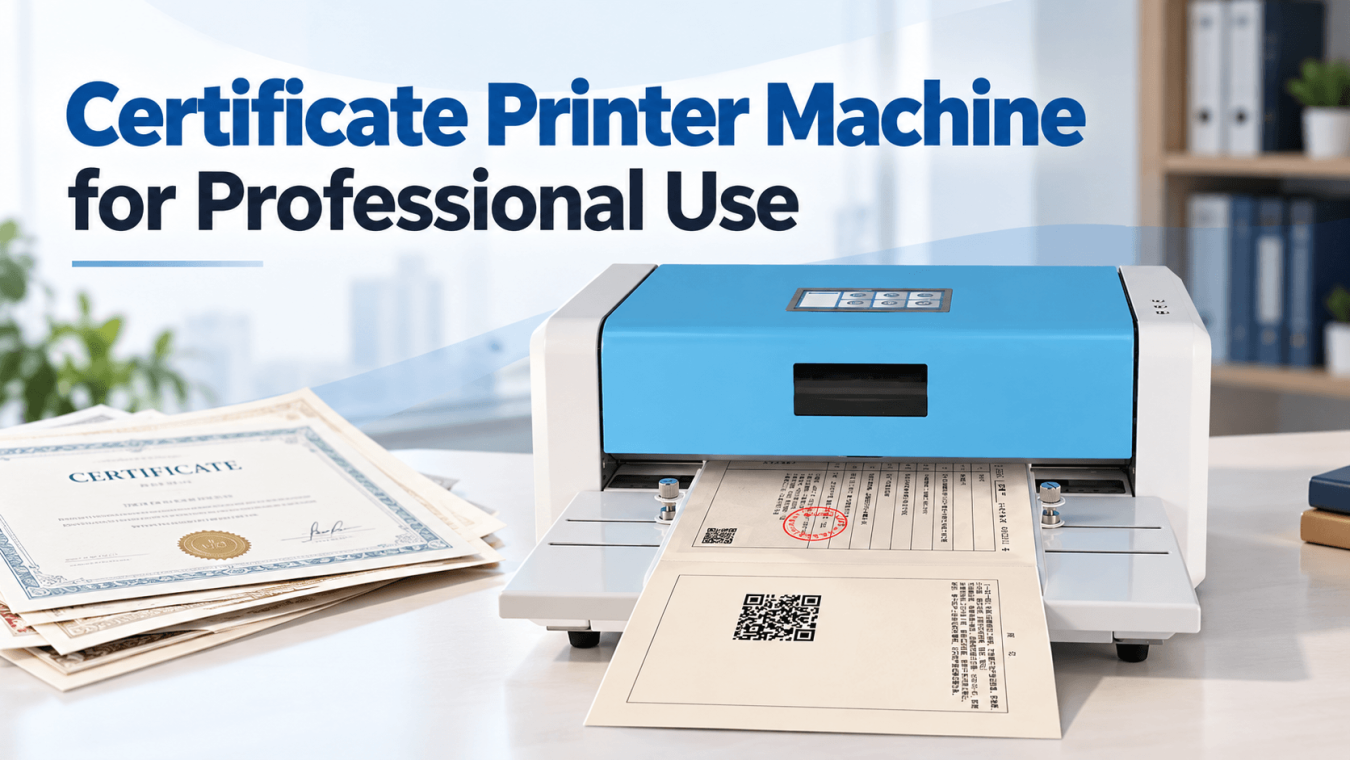
Certificates serve as official records of ownership, achievement, qualification, and authorization. Whether issued by government agencies, educational institutions, or professional organizations, these documents require accurate printing, clear text, and reliable long-term preservation.
However, not every printer is suitable for professional certificate production. Standard office printers may struggle with thick certificate paper, consistent positioning, or the durability required for official documents.
Choosing the right certificate printer machine involves evaluating printing technology, resolution, paper compatibility, operational efficiency, and long-term costs. This guide explains the essential factors to consider when purchasing a professional certificate printer for institutional or commercial applications.
1. Understand Your Certificate Printing Requirements
Before comparing different machines, identify the types of certificates your organization produces.
Certificate printing requirements vary significantly across industries.
Government and Public Administration
Government departments issue property ownership certificates, land titles, registration documents, and official permits. These applications often require precise text positioning, durable printing, and compatibility with specialized certificate paper.
Educational Institutions
Universities, colleges, and training centers produce graduation certificates, diplomas, and professional qualifications. Print quality, document presentation, and accurate variable-data printing are important considerations.
Corporate and Professional Organizations
Businesses and professional associations issue employee recognition certificates, membership credentials, training certificates, and authorization documents.
Legal and Financial Institutions
Organizations handling legal documentation may require certificate printing equipment capable of producing clear, tamper-evident records on specialized materials.
Understanding your application helps determine the necessary printing width, technology, paper thickness, and production capacity.
2. Choose the Right Certificate Printing Technology
Printing technology directly affects document durability, operating costs, and material compatibility.
Three technologies are commonly considered for certificate production.
Inkjet Certificate Printers
Inkjet printers produce images by depositing liquid ink onto paper.
They are suitable for colorful certificates featuring decorative graphics, photographs, and complex designs.
However, inkjet printing can involve higher consumable costs, and certain inks may fade or smear without appropriate paper and storage conditions.
Laser Certificate Printers
Laser printers use toner and heat to create sharp text and graphics.
They offer relatively fast printing speeds and are widely used for office documents, educational certificates, and corporate recognition materials.
However, thick or specialty certificate stock may not be compatible with every laser printer.
Thermal Transfer Certificate Printers
A thermal transfer certificate printer uses heat to transfer ink from a ribbon onto the printing material.
This technology is particularly suitable for applications requiring durable monochrome text, precise positioning, and consistent results.
Unlike direct thermal printing, which relies on heat-sensitive paper, thermal transfer printing can produce longer-lasting images when the ribbon and certificate material are properly matched.
For official records requiring long-term storage, thermal transfer technology is often worth considering.
3. Evaluate Printing Resolution and Document Quality
Print resolution determines how clearly a printer reproduces text, numbers, logos, and other document elements.
Resolution is measured in dots per inch (DPI).
For professional certificate production, common considerations include:
- 203 DPI: Suitable for basic text and relatively simple document layouts.
- 300 DPI: Provides sharper text, detailed graphics, and improved readability for official documents.
- 600 DPI: Useful for applications requiring particularly fine details or small characters.
A 300 DPI certificate printer machine can provide an effective balance between print quality, equipment cost, and operational efficiency.
However, resolution alone does not guarantee excellent results.
Printhead quality, ribbon compatibility, paper surface, and mechanical positioning also influence the final appearance.
Before purchasing, request sample certificates printed on your intended materials.
4. Check Certificate Paper Size and Thickness Compatibility
Paper handling is one of the most important factors when selecting a printer for certificates.
Unlike standard office documents, certificates may use thicker paper, textured surfaces, security substrates, or customized dimensions.
A suitable machine should accommodate the materials used by your organization.
Printing Width
Confirm both the supported paper width and the actual printable width.
These measurements are different.
For example, a machine may accept paper measuring 320 mm wide while supporting a smaller maximum printable area.
If your certificate includes borders, signatures, or information positioned near the edges, verify that the printer can reproduce the complete layout.
Paper Thickness
Thicker certificate stock may cause feeding problems in printers designed primarily for ordinary office paper.
Check the manufacturer’s maximum supported paper thickness and test representative samples before placing a bulk order.
Automatic Paper Feeding
Manual feeding can introduce positioning inconsistencies, particularly when operators process large numbers of documents.
A certificate printing machine with automatic paper feeding can improve workflow consistency and reduce repetitive handling.
Sensor-assisted feeding is especially useful when certificate layouts require accurate positioning.
5. Consider Printing Speed and Daily Production Volume
Printing speed matters when organizations issue certificates regularly.
For example, a government registration office may process hundreds of documents daily, while a university might experience seasonal demand during graduation periods.
Before purchasing, estimate:
- Average certificates printed per day
- Maximum production volume during peak periods
- Time required for paper loading and replacement
- Frequency of ribbon changes
- Acceptable downtime during operations
Printing speed should be evaluated alongside feeding accuracy and output consistency.
A faster printer offers limited advantages if frequent paper jams or alignment errors interrupt production.
For high-volume environments, request a demonstration using realistic document batches rather than relying exclusively on advertised speed specifications.
6. Examine Software Compatibility and System Integration
Professional certificate printing often involves more than sending a document from a computer.
Organizations may generate certificates through registration databases, student management platforms, government information systems, or customized applications.
Therefore, software compatibility deserves careful attention.
Communication Interfaces
USB connectivity is common in dedicated certificate printers.
However, organizations requiring network-based printing should verify whether Ethernet, Wi-Fi, or other interfaces are available.
Driver and Operating System Support
Confirm compatibility with your existing operating system and document generation software.
If certificates are produced through specialized applications, ask the manufacturer about available drivers, SDKs, and integration support.
Variable Data Printing
Many certificates contain unique information, including names, identification numbers, registration dates, and serial numbers.
A suitable printing solution should reproduce these details accurately while maintaining consistent document formatting.
Organizations handling sensitive records should also consider access controls and secure document-processing procedures.
7. Assess Print Durability and Document Security
For official certificates, printing durability can be more important than appearance alone.
Documents such as property ownership certificates and land titles may need to remain readable for decades.
Environmental conditions, paper composition, ribbon materials, and storage methods all affect print longevity.
When comparing equipment, ask manufacturers about:
- Resistance to fading under normal storage conditions
- Compatibility with archival-quality certificate materials
- Print resistance to handling and abrasion
- Available security printing features
- Long-term availability of compatible ribbons
Some specialized systems also support security-related consumables or technologies that assist with document authentication.
However, security capabilities should be verified for the complete printing system rather than assumed from the printer model alone.
8. Calculate the Total Cost of Ownership
The purchase price represents only part of the investment in professional printing equipment.
A lower-priced machine may become expensive if it requires frequent maintenance, produces excessive waste, or uses costly consumables.
Calculate the total cost of ownership (TCO) by considering equipment price, ribbon consumption, certificate paper costs, maintenance, replacement parts, and expected service life.
It is also important to evaluate technical support.
A reliable certificate printer manufacturer should provide clear specifications, compatible consumables, maintenance guidance, and reasonable after-sales assistance.
For organizations purchasing multiple machines, requesting a trial unit can help identify potential problems before full deployment.
9. Recommended Certificate Printer: Masung MS-CH580
For organizations requiring durable monochrome printing on official certificate materials, the Masung MS-CH580 High-Resolution Thermal Transfer Certificate Printer is an option worth evaluating.
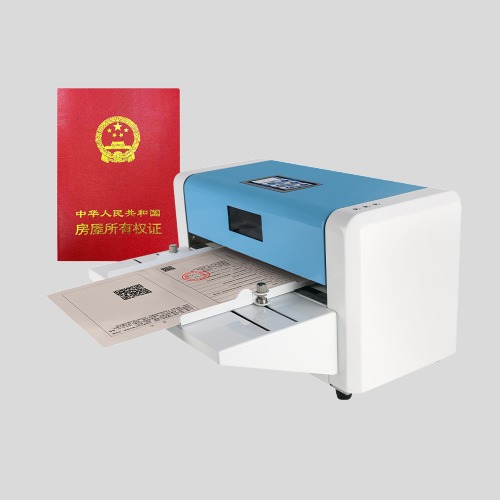
Developed by Masung, the MS-CH580 is designed for specialized certificate printing applications, including property ownership certificates, land titles, and other official documents.
It uses thermal transfer technology with 300 DPI resolution, producing clear text and detailed document information. According to the manufacturer, its output is designed to resist fading for decades under normal indoor storage conditions.
The MS-CH580 offers several practical features:
- 300 DPI resolution for sharp certificate text and graphics.
- 110–320 mm supported paper width for different certificate formats.
- 252 mm maximum printable width for larger document layouts.
- Automatic sensor-assisted paper feeding for consistent positioning.
- Maximum paper thickness of 0.38 mm for compatible certificate stock.
- USB connectivity for connection to a computer.
- RFID-compatible ribbon support for applications requiring additional security functionality.
These specifications make the MS-CH580 particularly relevant to government departments, registration offices, and institutions producing long-lasting official records.
Before purchasing, organizations should confirm ribbon compatibility, software requirements, and certificate material suitability with Masung’s technical team.
Explore the product: Masung MS-CH580 Certificate Printer Machine
Conclusion
Choosing a professional certificate printer machine requires careful consideration of printing technology, resolution, paper compatibility, production capacity, and document durability.
For colorful decorative certificates, inkjet or laser printing may be appropriate. For official documents requiring durable monochrome output and precise paper handling, a dedicated thermal transfer certificate printer may offer a better fit.
Ultimately, the right equipment should match your certificate materials, integrate with existing workflows, and deliver consistent results over years of operation.